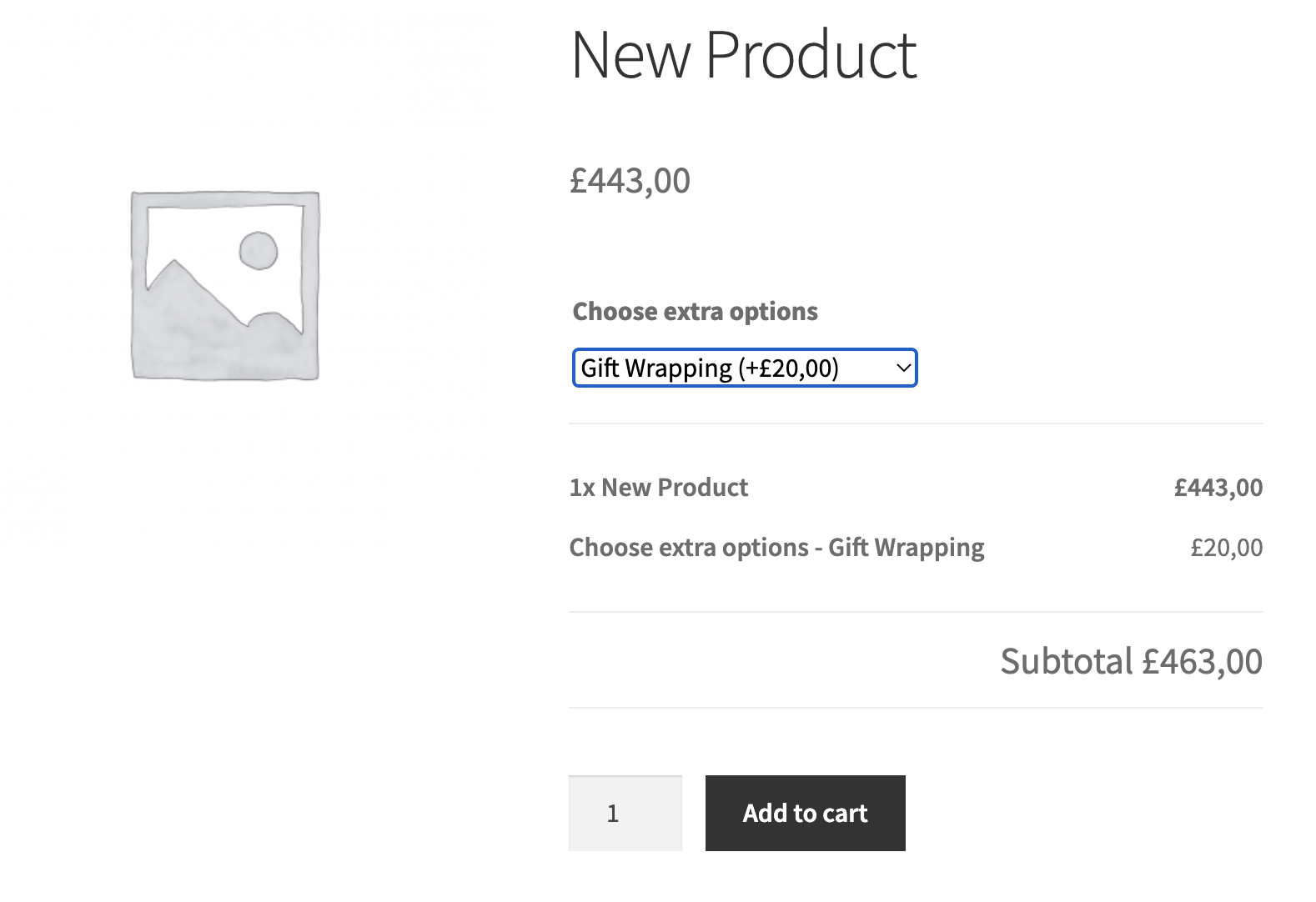
You may be looking to add extra options to your products, anything from text fields to gift wrapping, checkboxes, custom options, and more. You can do this with MarketKing's 'Product Addons' module.
To use this module, you will need one of the compatible plugins listed below. MarketKing currently integrates with the following product add-ons plugins:
- WooCommerce Product Addons ( https://woocommerce.com/products/product-add-ons/ )
- Plugin Republic's Product Addons Ultimate ( https://pluginrepublic.com/wordpress-plugins/woocommerce-product-add-ons-ultimate/ )
This means that each vendor will have access to the features of these plugins and will be able to configure add-ons for their own products.
To activate this module, go to MarketKing -> Modules and turn on the module.
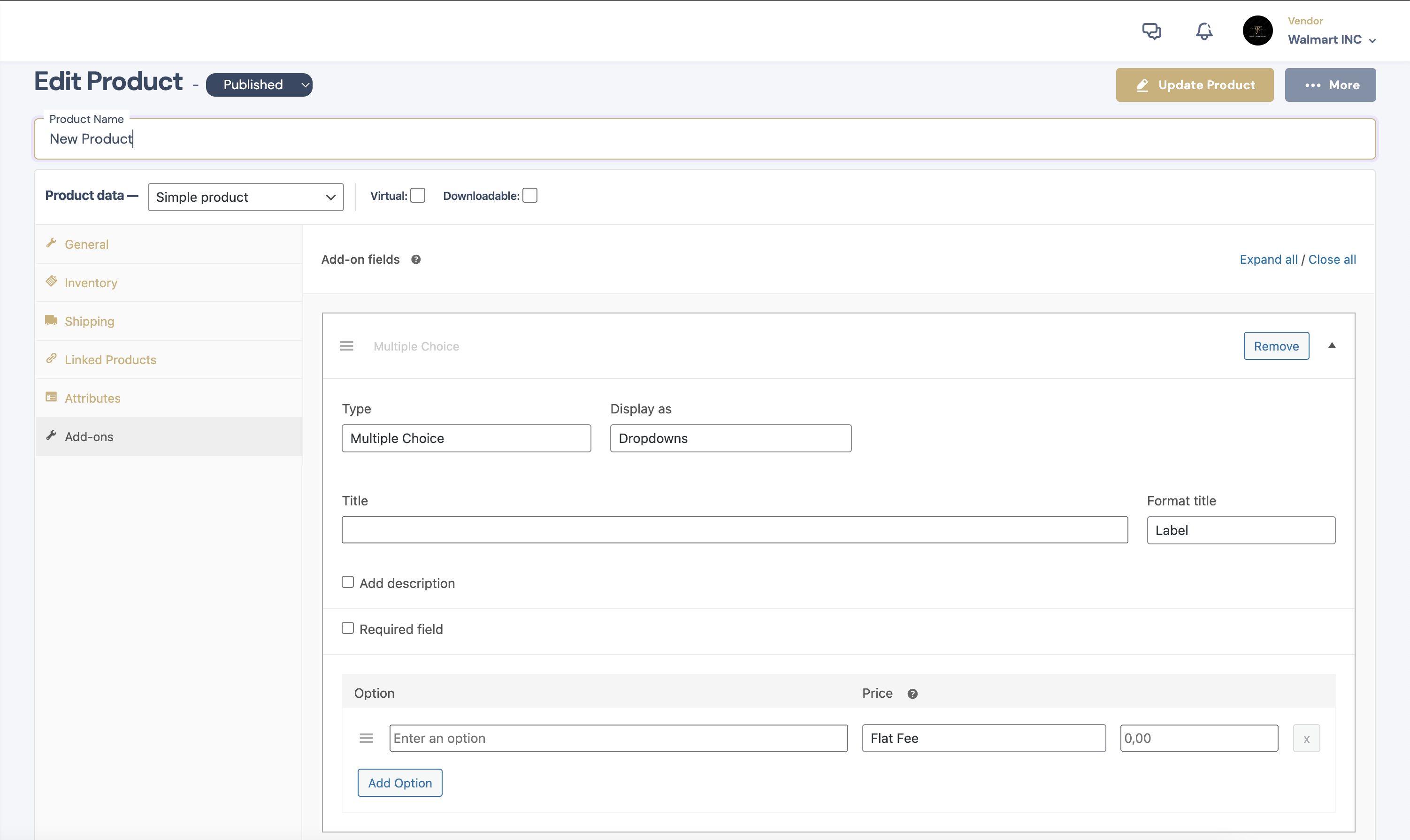
Each vendor will then be able to see product addon options in their vendor dashboard:
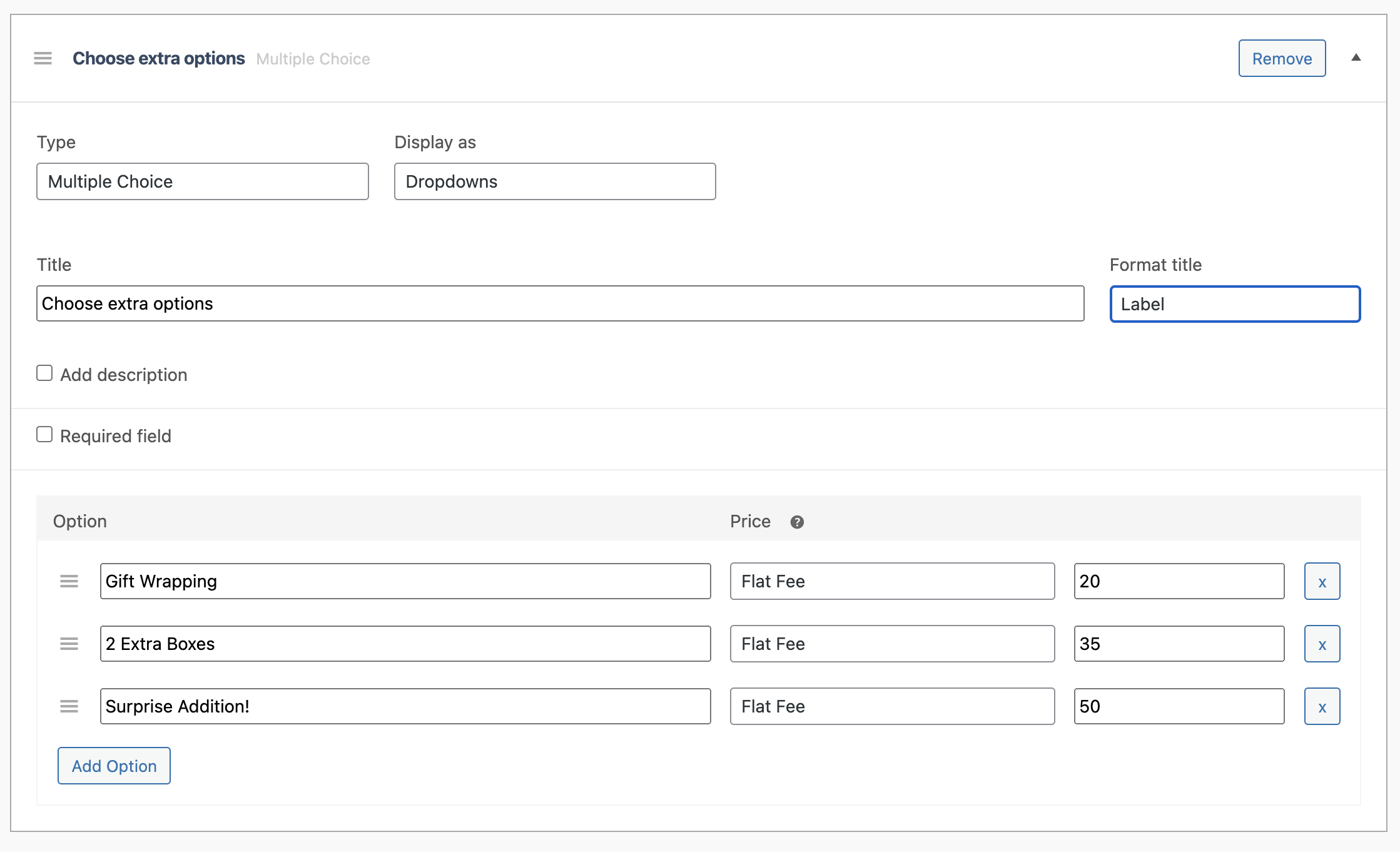
For example, a vendor can use this to configure checkboxes for things like gift wrapping or additional items:
Customers can then see these options on the frontend when viewing the product: